Publish a Text or Chat Model
This page highlights configuration and validation for text or chat models. See Publish Public Models for the common end-to-end flow.
Target Outcome
The text or chat model passes protocol testing, publishes in the intended scope, and returns a valid response to a controlled prompt.
Applicable Roles
- Model Provider
Before You Start
- The operator has prepared the meta-model, model source, template, tags, and currency.
- Upstream model ID, protocol endpoint, authentication, and defaults are known.
- Context, input/output token limits, billing, and rate limits are defined.
Key Steps
- Open My Models > My Publications, choose the public or private area, and enter the text or chat model's basic identity.
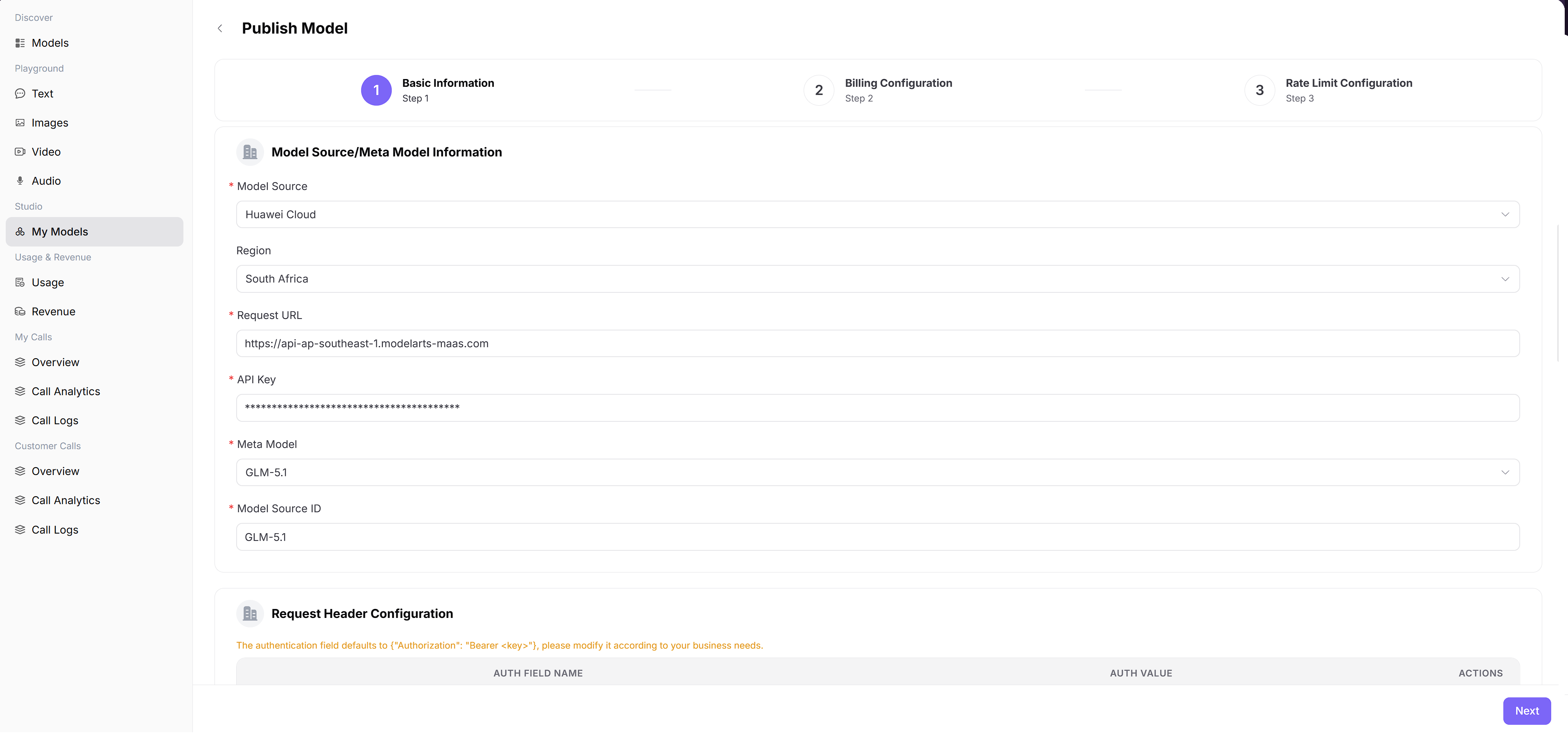
- Select the text or chat meta-model and model source, then configure the upstream model ID, request URL, and authentication headers.
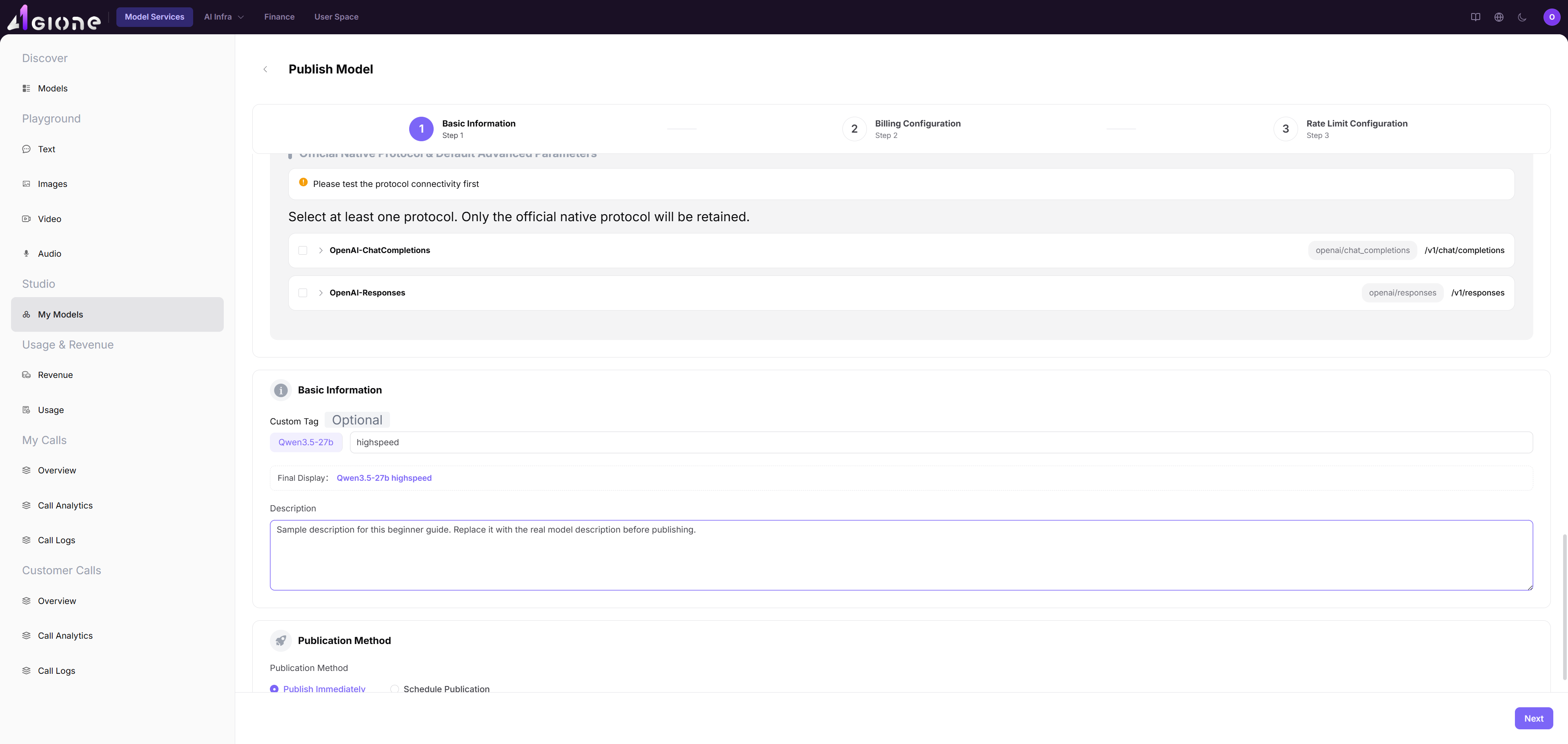
- Select Chat Completions, Responses, or another compatible protocol and pass connectivity testing.
- Configure context, input and output token limits, advanced capabilities, and defaults.
- Configure token billing, tiers, cache pricing, and any free quota.
- Configure RPM and TPM limits, then save or submit for review.
See My Models and My Calls Overview for detailed operations.
Completion Checklist
Purpose: These are the exit criteria for the current feature task. Use them to decide whether the result is observable and reviewable and whether you can continue to the next step in the scenario. They do not repeat the procedure; if any item fails, follow the troubleshooting section below.
| Check | Pass Criteria |
|---|---|
| 1 | Protocol tests pass for expected streaming and non-streaming behavior. |
| 2 | Context and token limits match upstream capabilities. |
| 3 | Billing and rate limits match the publication plan. |
| 4 | Review state is visible and the published model is callable in its intended scope. |
Troubleshooting
| Symptom | Check First |
|---|---|
| Protocol test fails | Endpoint, credential, model identifier, headers, and request body |
| Calls fail after publication | Publication status, API key, protocol, rate limit, quota, and call logs |