Connect a Cloud Account
Connect an operator-managed cloud account used to discover and deploy regional resources.
Target Outcome
AGIOne can validate the cloud account and discover only the regions and resources that it is permitted to use.
Applicable Roles
- Platform Operator
Before You Start
- Create a dedicated least-privilege cloud credential for AGIOne.
- Confirm that the target cloud platform has already been connected.
Procedure
Add a Cloud Account
- From the platform home page, select On-Cloud > Access Management > Cloud Accounts.
- Select Add Cloud Account in the upper-right corner.
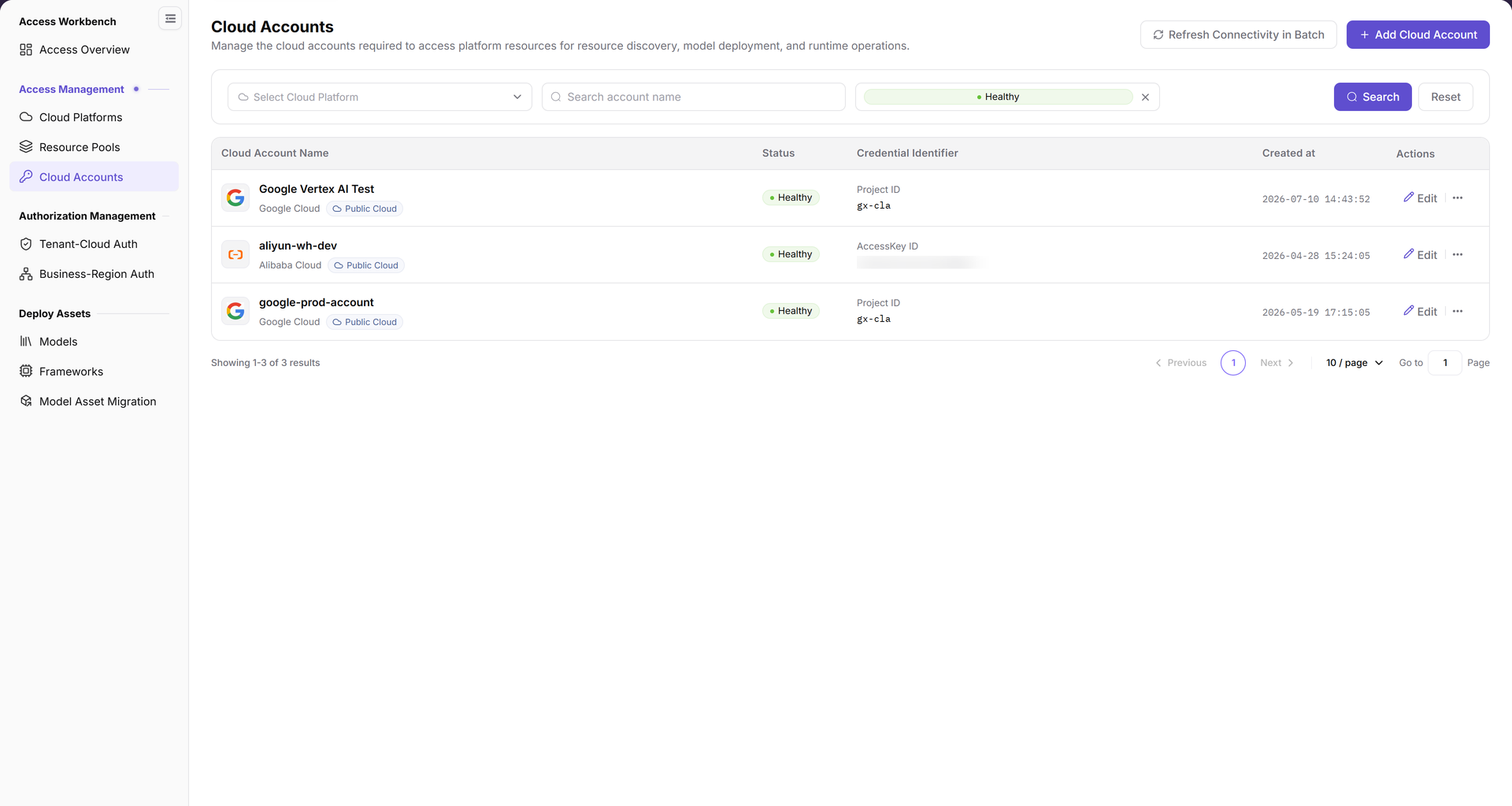
- Configure the account:
- Enter an Account Name.
- Select a currently supported cloud platform, such as Alibaba Cloud or AWS.
- Enter the Access Key ID.
- Enter the Access Key Secret through the protected field.
- Review the information and select Confirm, or Cancel to discard it.
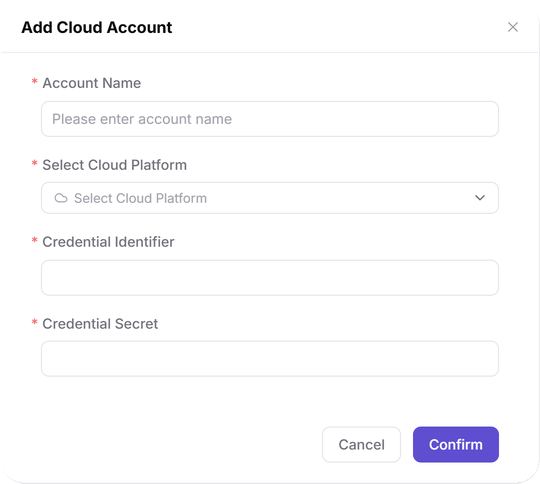
Parameter Reference
| Field | Type | Example | Description |
|---|---|---|---|
| Account Name | Text | aliyun-wh-dev | Required; a user-defined account identifier |
| Cloud Platform | Select | Alibaba Cloud | Required; the supported target cloud platform |
| Access Key ID | Text | <ACCESS_KEY_ID> | Required; the cloud credential ID |
| Access Key Secret | Password | <ACCESS_KEY_SECRET> | Required; the cloud credential secret |
Completion Checklist
Check the results below; resolve failed items using the troubleshooting section before continuing.
| Check | Pass Criteria |
|---|---|
| 1 | Account validation succeeds. |
| 2 | Only required cloud permissions are granted. |
| 3 | Regions and resources are discovered as expected. |
Troubleshooting
| Symptom | Check First |
|---|---|
| Account validation fails | Credential status, required cloud permissions, time synchronization, and network access |
| Regions are missing | Cloud permissions, account region scope, and resource synchronization status |
User Manual
Review complete fields, validation rules, and common issues for Cloud Accounts