Inference Frameworks
This task combines a runtime image, startup command, service port, and framework type into a reusable deployment runtime.
Target Outcome
The inference framework starts a service with the target image and exposes the expected port for model assets to reference.
Applicable Roles
- Platform Operator
Before You Start
- The inference image is prepared and validated.
- Framework type, startup command, model placeholder, service port, and health-check behavior are confirmed.
Procedure
Add a Framework
- Go to Deploy Assets > Inference Frameworks.
- Select Add Framework.
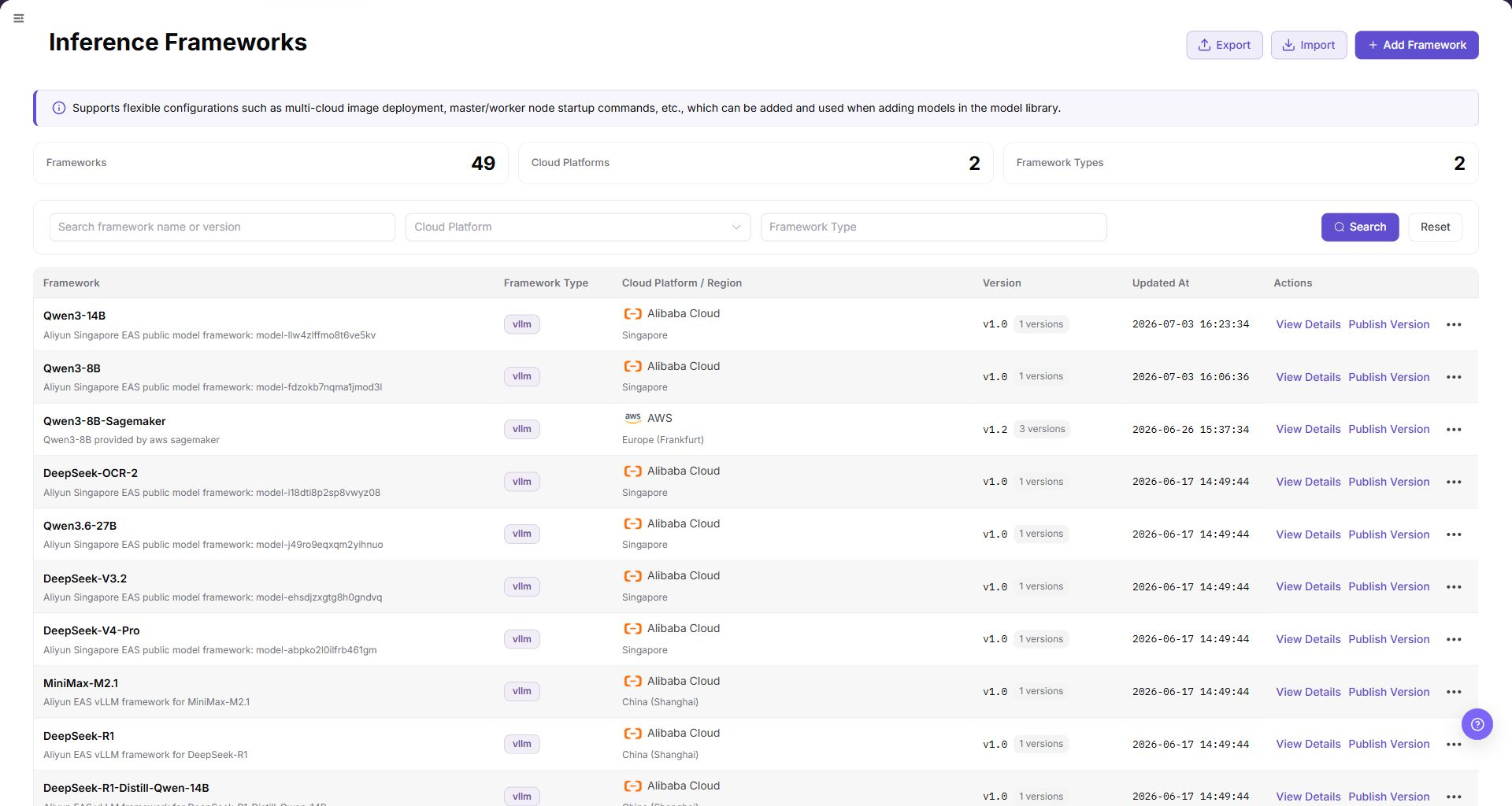
- Complete Basic Information:
- Framework Icon: upload a JPG, PNG, or SVG file no larger than 1 MB; 64 x 64 is recommended.
- Framework Name: maintain Simplified Chinese and English values separately.
- Framework Type: select at least one type, such as
vllm,tgi,sglang,ollama,asr,tts,sdk-stable-diffusion, orcomfyui. - Framework Description: maintain optional localized rich-text descriptions.
- Complete Runtime Environment:
- Image: select the validated runtime image and confirm its version.
- Port: enter the service port exposed by the framework, such as
8000. - Startup Command: maintain one or more protocol and command entries, such as
--port 8000 --model {model_name} --trust-remote-code.
- Select Save. Select Cancel to discard the form.
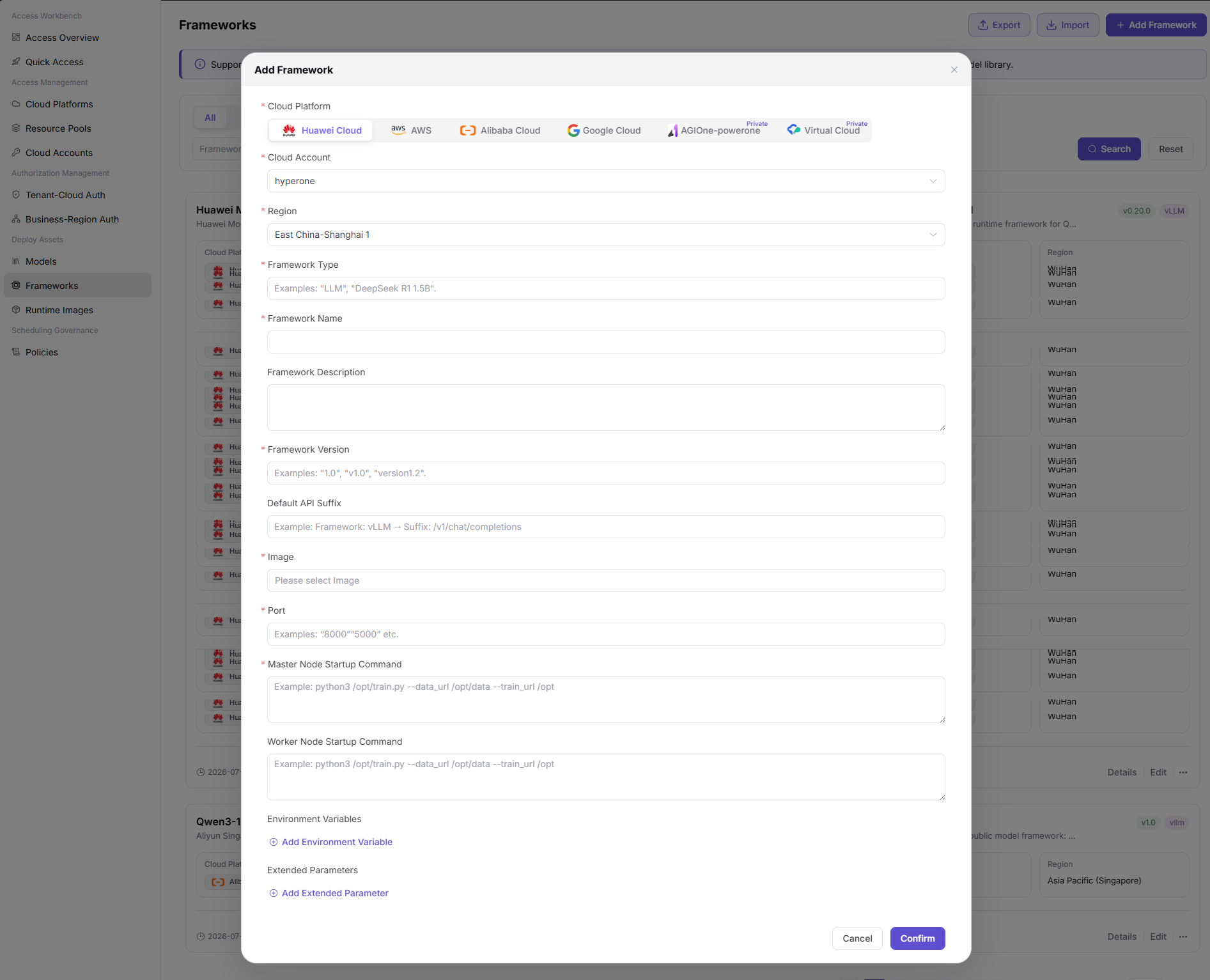
Parameters - Basic Information
| Field | Type | Example | Description |
|---|---|---|---|
| Framework Icon | Upload | - | Required; JPG, PNG, or SVG, no larger than 1 MB; 64 x 64 recommended |
| Framework Name | Text | vllm in both language tabs | Required; maintain each language independently |
| Framework Type | Multi-select | vllm, tgi, sglang | Required; select at least one type |
| Framework Description | Rich text | - | Optional localized description |
Parameters - Runtime Environment
| Field | Type | Example | Description |
|---|---|---|---|
| Image | Single select | registry.example.com/ai/vllm:0.9.1 | Required; select from the validated image list |
| Port | Number | 8000 | Required; service port exposed by the framework |
| Startup Command | List | --port 8000 --model {model_name} --trust-remote-code | Required; supports multiple command entries |
Completion Checklist
Purpose: These are the exit criteria for this task. If any check fails, follow the troubleshooting section before continuing.
| Check | Pass Criteria |
|---|---|
| 1 | Image, framework type, startup command, and port are compatible. |
| 2 | Service health and API behavior can be validated. |
| 3 | Model-asset configuration can select the framework. |
Troubleshooting
| Symptom | Check First |
|---|---|
| Framework fails to start | Image compatibility, command parameters, model path, and port |
| Model asset cannot select the framework | Framework state, framework type, and target-cloud compatibility |
User Manual
Review complete fields, validation rules, and troubleshooting for Inference Frameworks