Cloud Model Assets
This task combines a meta-model, cloud deployment point, cloud model, compute plan, and output protocol into a deployable model asset.
Target Outcome
End Users can select the model in quick deployment and obtain the correct API definition after deployment.
Applicable Roles
- Platform Operator
Before You Start
- Meta-model, cloud account, cloud region, runtime image, and inference framework are prepared.
- Cloud-model identifier, compatible compute plan, and output protocol are confirmed.
Procedure
Add a Model Asset
- Go to Deploy Assets > Model Library.
- Select Add Model to start the three-step workflow.
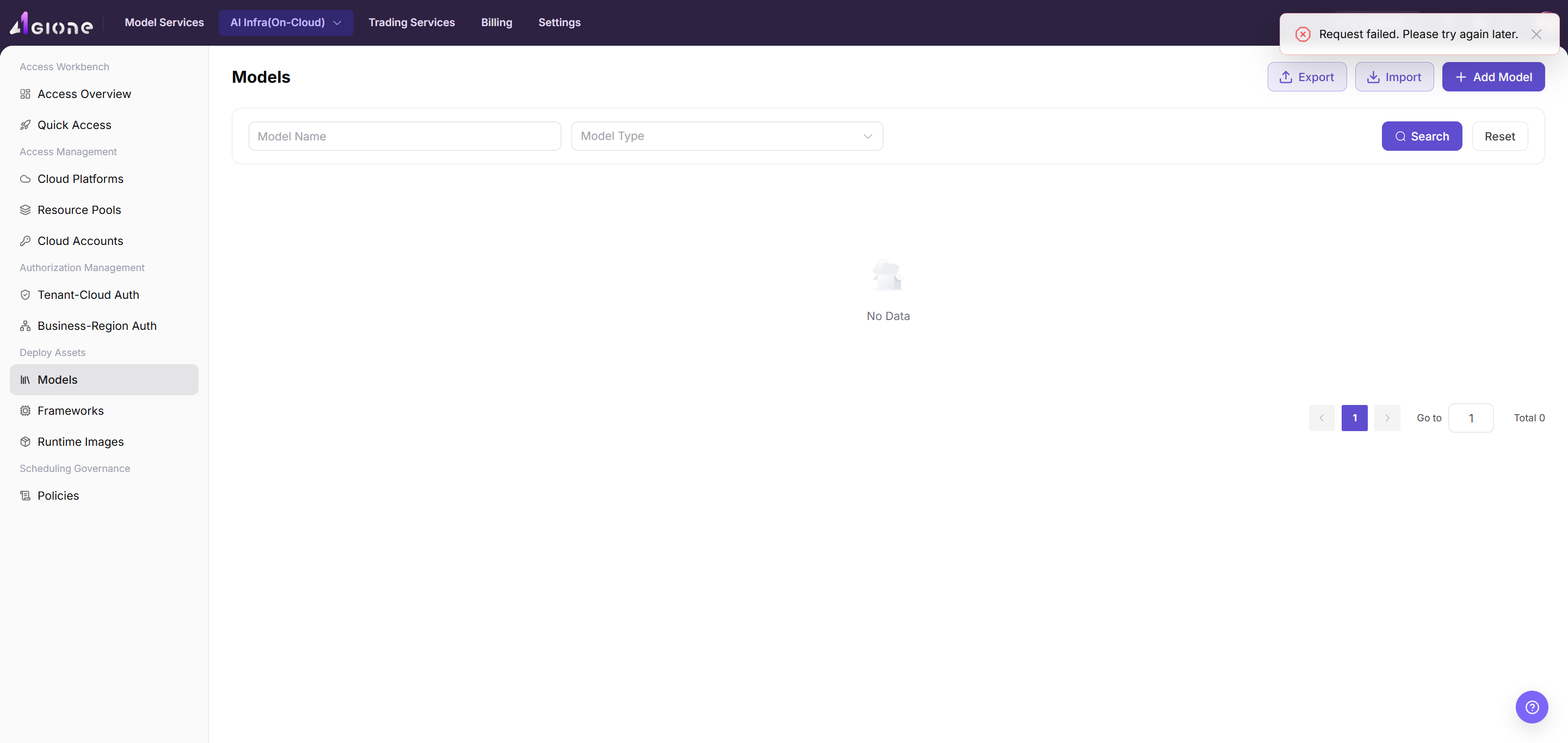
- Step 1 - Meta-Model and Listed Version:
- Filter by author, type, or keyword and select the target meta-model.
- Review modalities, currently available capability metadata, token limits, compatible protocols, model family, author, subtype, and description.
- Enter the listed version, such as
1.0.0, and an optional version description. - Select Next.
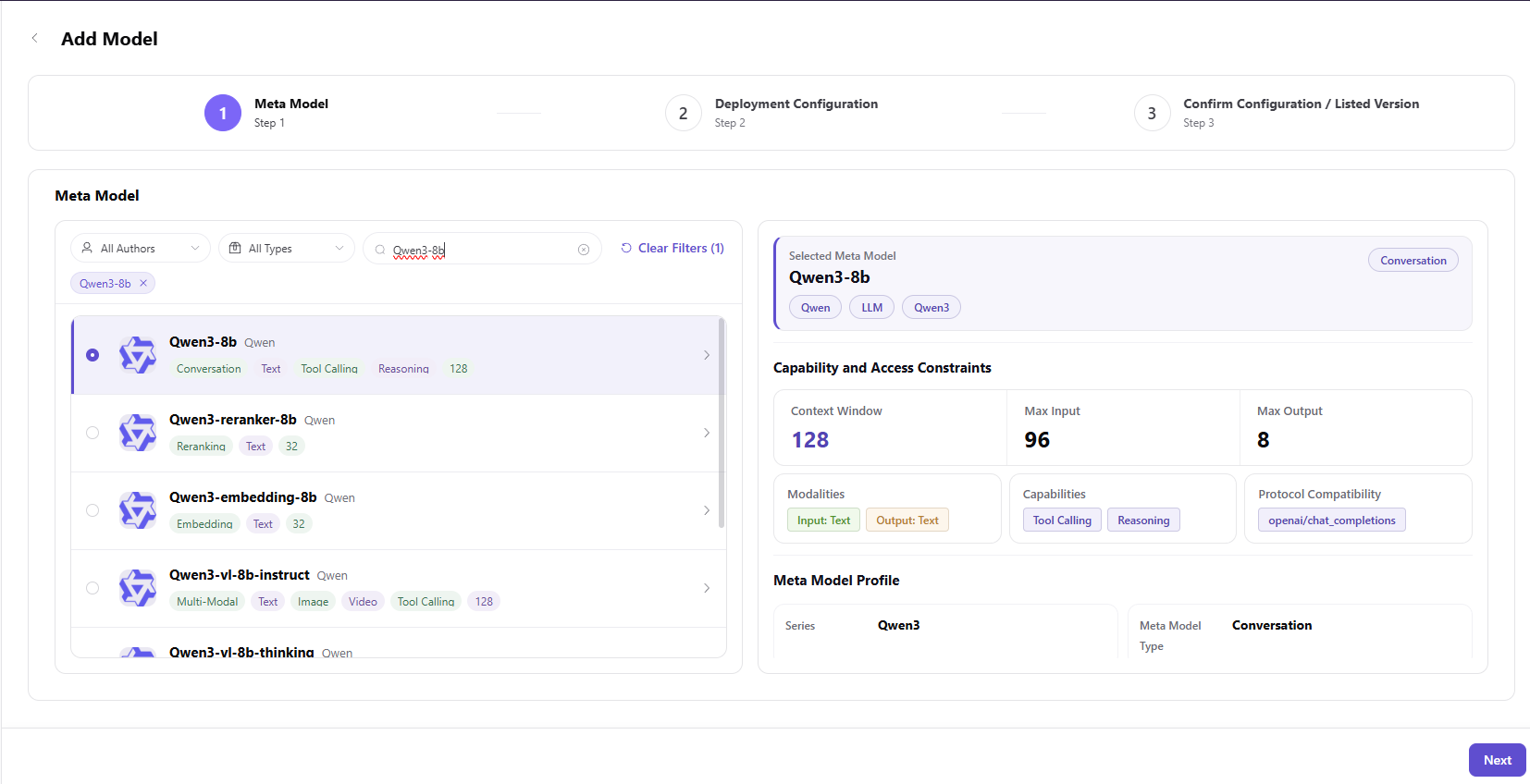
- Step 2 - Deployment Configuration:
- Add a cloud deployment point that binds one cloud platform and region.
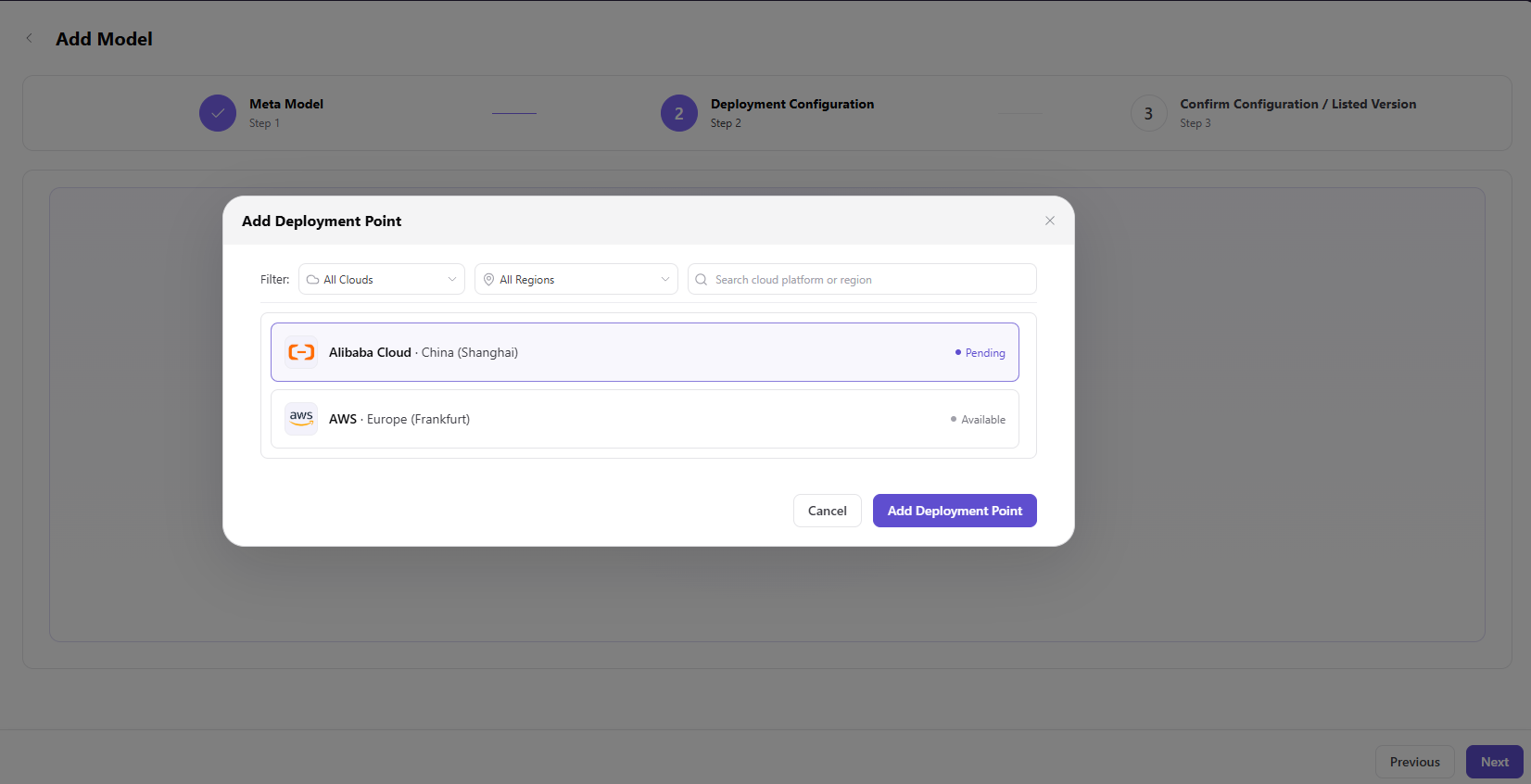
- Assign the cloud model under the intended cloud account and save it.
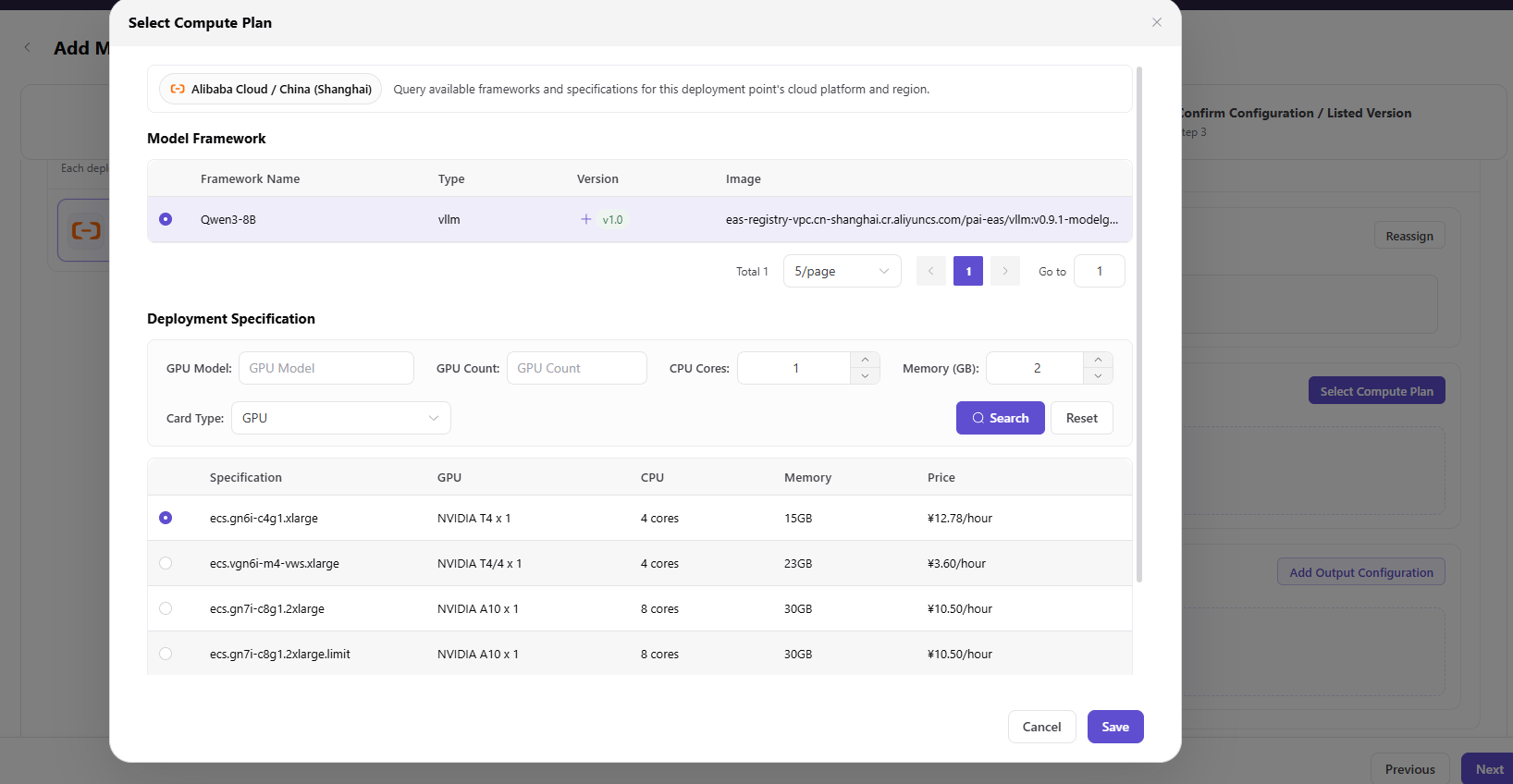
- Select a compatible model framework and compute plan, then save it.
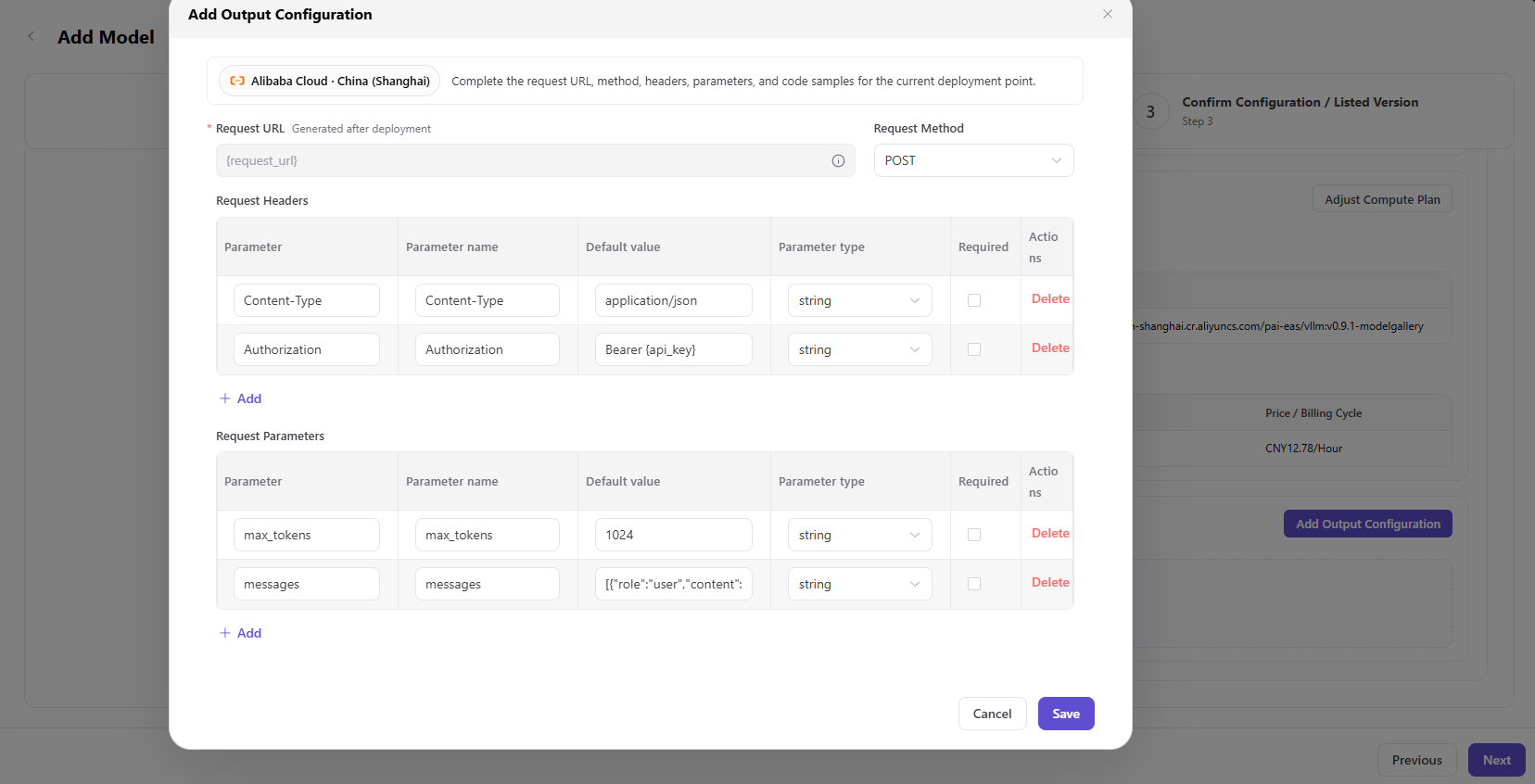
- Configure request URL placeholders, method, headers, request parameters, output fields, and localized code examples. Use placeholders instead of real credentials.
- Select Next.
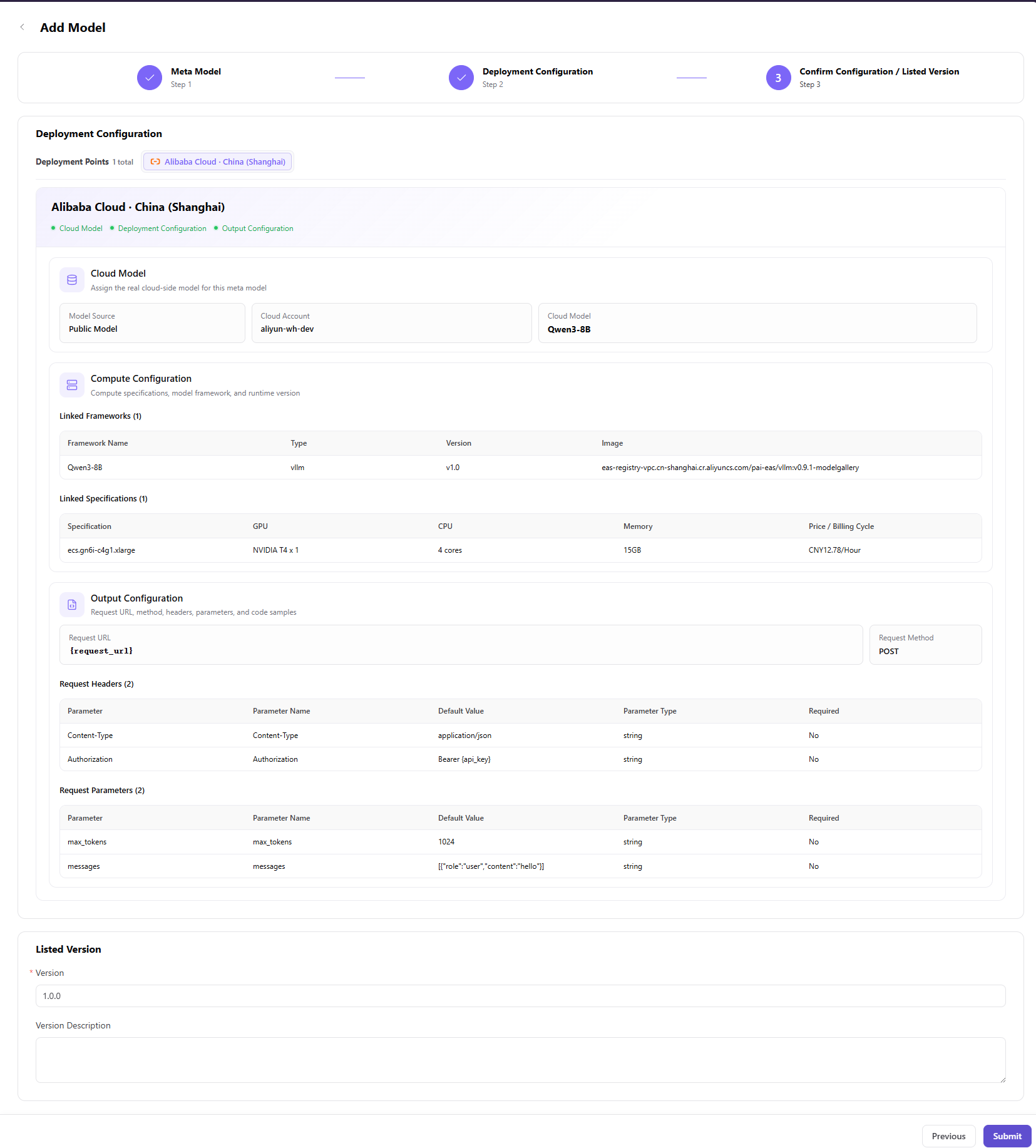
- Step 3 - Confirm Configuration: review meta-model information, capability and access constraints, cloud model, compute plan, and output configuration. Select Submit, or return to a previous step to correct the configuration.
Parameters - Meta-Model and Listed Version (Step 1)
| Field | Type | Example | Description |
|---|---|---|---|
| Meta-Model | Single select | Qwen3-8b with identifier qwen/qwen3-8b | Required; canonical base-model definition |
| Listed Version | Text | 1.0.0 | Required; asset version exposed to deployment |
| Version Description | Rich text | - | Optional version-change description |
Parameters - Deployment Configuration (Step 2)
| Field | Type | Example | Description |
|---|---|---|---|
| Cloud Deployment Point | List | Alibaba Cloud - China East 2 | Required; binds one cloud platform and region |
| Cloud Account | Select | aliyun-dev | Required; cloud account used by the deployment |
| Cloud Model | Select | Qwen3-8B | Required; cloud model mapped under the account |
| Model Framework | Single select | Qwen3-8B / vllm / v1.0 | Required; framework and runtime version |
| Compute Plan | Single select | NVIDIA T4 x 1 / 4 vCPU / 15 GB | Required; accelerator, count, CPU, and memory |
| Request URL | URL | {request_url} | Required; generated after deployment |
| Request Method | Select | POST | Required; HTTP method |
| Content-Type Header | Text | application/json | Required; request content type |
| Authorization Header | Text | Bearer {api_key} | Required; placeholder authentication value |
max_tokens | Number | 1024 | Required when used by the selected protocol |
messages | Array | [{"role":"user","content":"hello"}] | Required conversation request content |
Completion Checklist
Purpose: These are the exit criteria for this task. If any check fails, follow the troubleshooting section before continuing.
| Check | Pass Criteria |
|---|---|
| 1 | Meta-model, deployment point, cloud model, and compute plan are compatible. |
| 2 | Output protocol and examples contain placeholders rather than real credentials. |
| 3 | End Users can see and select the asset in quick deployment. |
Troubleshooting
| Symptom | Check First |
|---|---|
| Deployment point has no model or plan | Cloud-account synchronization, region, model availability, and plan compatibility |
| End User cannot see the model asset | Asset state, tenant authorization, business-region authorization, and publication scope |
User Manual
Review complete fields, validation rules, and troubleshooting for Model Assets