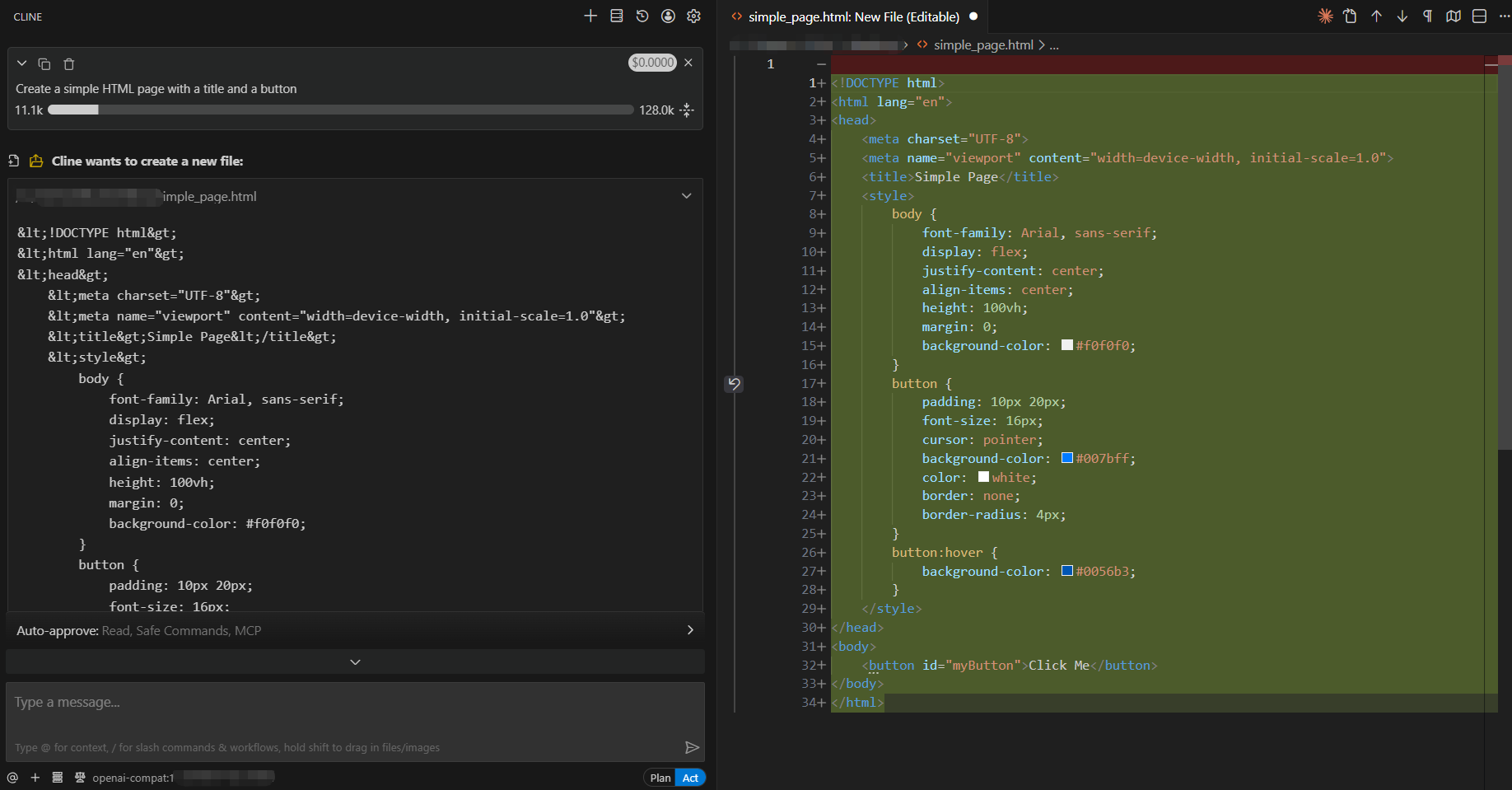
Using Cline to access the AGIOne model in VSCode
Install Cline
- Install and open VS Code.
- In VS Code, go to the Extensions Store and search for Cline, then click Install.
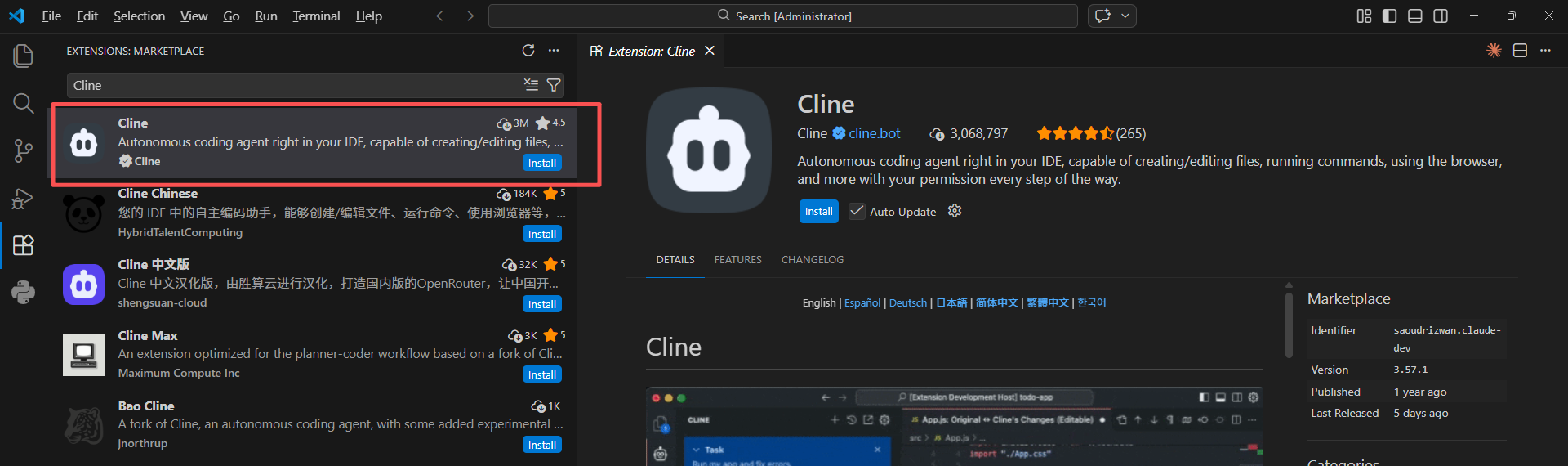
Model Configuration
- Visit AGIOne and register an account.
- Go to the model marketplace, select a model, enter the API Usage page, and obtain the API key and model id.
Configuration instructions (Using AGIOne as the model provider)
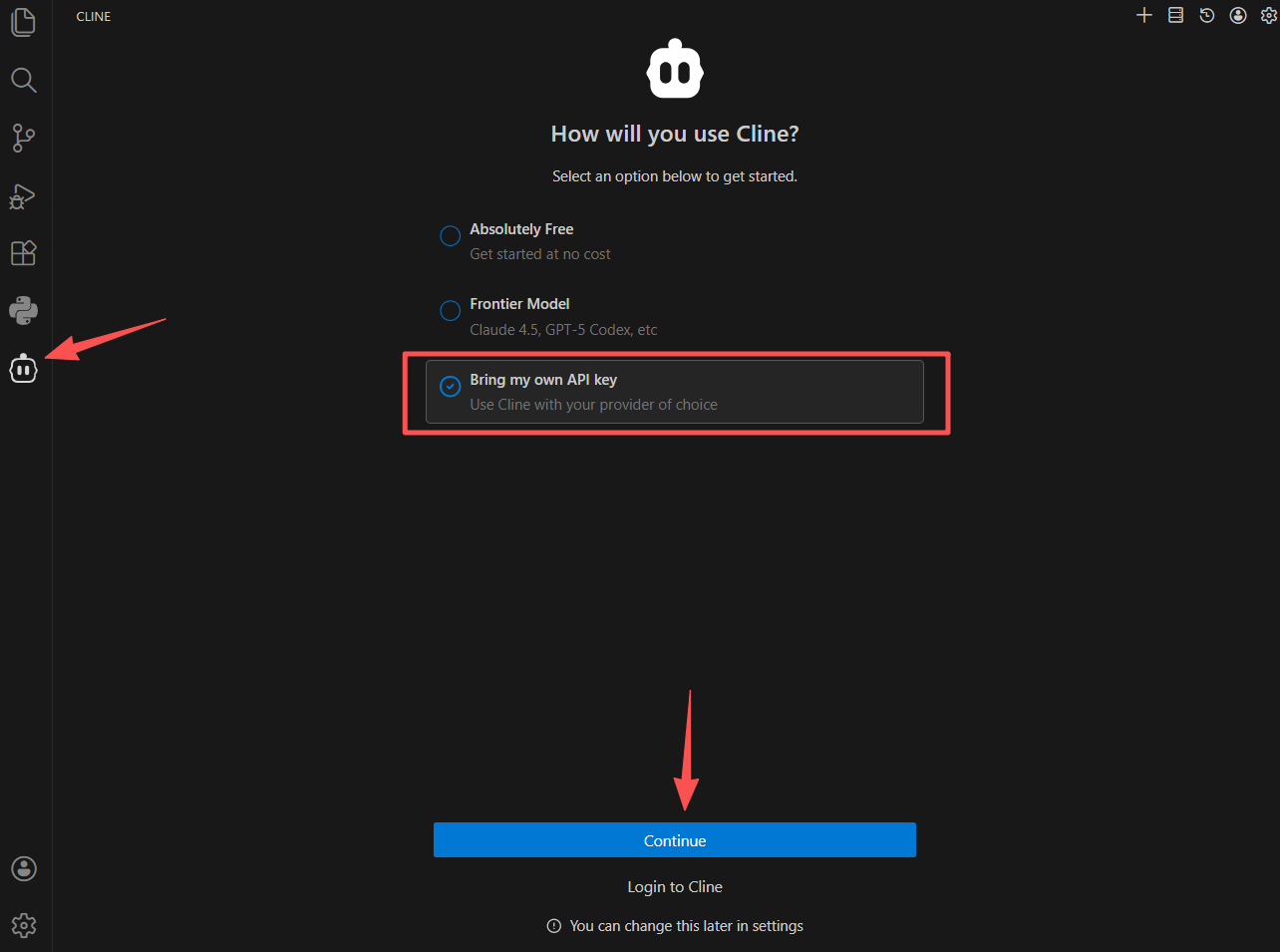
- After installation, you can see the Cline icon in the left sidebar of VS Code. Click the icon to open the settings interface.
- Select Bring my own API key, then click Continue.
- Configure Provider Information, After filling in the information, click Continue.
- API Provider: Select
OpenAI Compatible - Base URL:
https://agione.pro/hyperone/xapi/api - API Key: Obtain the
Certified TOKENfrom the AGIOne platform model API call page - Model ID: Obtain the
Model Idfrom the request parameters of the AGIOne platform model API call page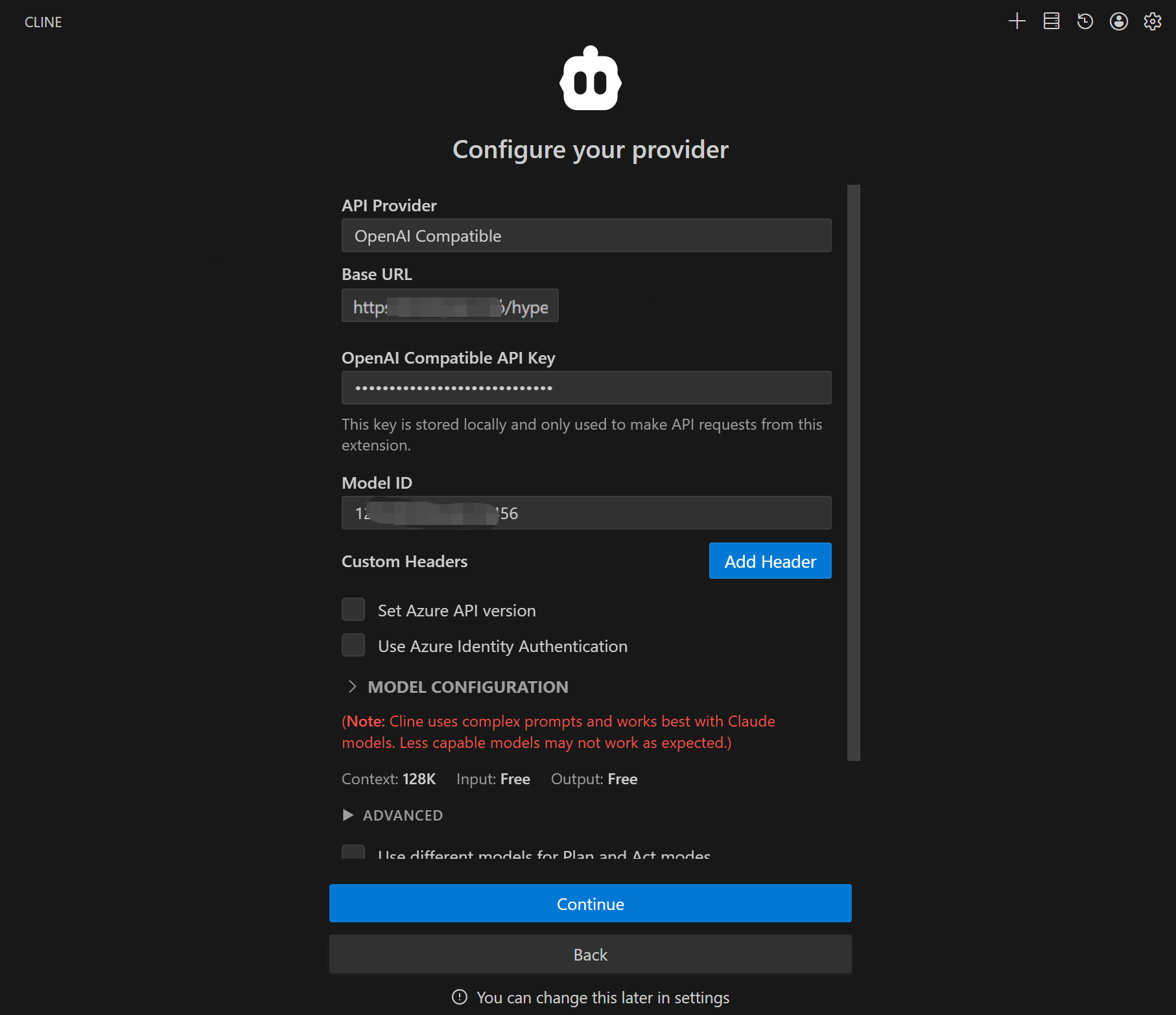
- API Provider: Select
Test Response
Briefly describe your task in the input box, for example: "Create a simple HTML page with a title and a button," press Enter or click the send button, and Cline should respond normally.